Invoices made from the work you did
Pick a project, tick the hours you want to bill and review. Involets numbers the invoice, dates it, works out the tax and gives you a PDF to send.
Lines from tracked time
Each billable entry you tick becomes one line: what you did, the date, the hours and the amount at the project's rate.
Fixed prices, in parts
On a fixed-price project, type an amount or press Bill the rest or Half. Involets will not let you bill more than is left.
Your tax
Name it VAT, GST or sales tax, set the rate once in Settings, and add it to an invoice with one switch.
Numbers that never repeat
Your own prefix and a running number. A number is never used twice, even after an invoice is deleted.
Due dates and overdue
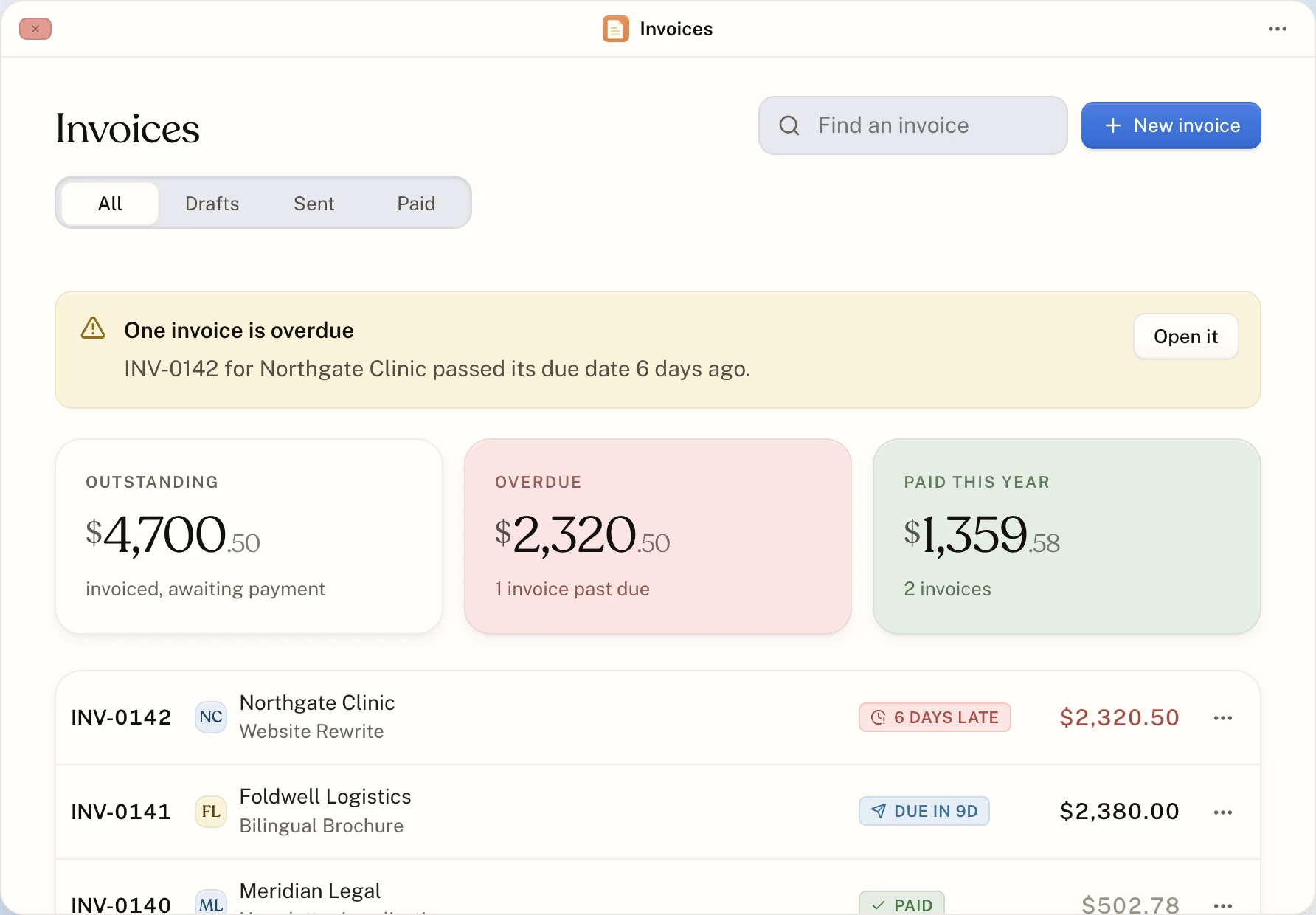
Payment terms of on receipt, 14 days or 30 days set the due date. Once a sent invoice passes it, it shows as overdue with the days late.
A PDF with your brand
A vector PDF with the fonts built in, your logo, your ink colour and your choice of 15 typefaces.
How to pay you
Bank transfer, PayPal, Wise, Stripe, Payoneer or your own instructions, printed near the bottom of every invoice.
Every step can be undone
Unmark an invoice as sent, mark a paid one unpaid, or roll it back so its hours can be billed again.
Draft, sent, paid
An invoice starts as a draft. Mark it sent when it goes out, and paid when the money arrives. In between, Involets watches the due date and moves it to overdue on its own, so the Invoices window always shows what is outstanding, what is late and what you have been paid.
You send it, in your own words
Involets does not email invoices and never handles money. Download the PDF and send it the way you already write to that client, then mark it sent. The money goes straight from your client to you.
Roll back or delete
Rolling back undoes the billing: the hours go back to unbilled and a fixed-price project gets its value back, ready to invoice again. Deleting removes only the document. Both go to the Trash, and both can be put back.
About invoicing
Does Involets send the invoice to my client?
No. You download the PDF and send it yourself, then mark the invoice as sent. That way it comes from your address, in your words.
Can one invoice cover several projects?
No. An invoice bills one project, so your client can see exactly what it is for. Make one invoice per project.
Can I put my logo on invoices?
Yes. The Brand app takes a PNG, JPEG, SVG or WebP logo up to 1 MB, an ink colour and a heading and body typeface, and shows a live preview of the invoice as you change them.
Start with the timer. The invoice follows.
Make an account, start the clock, and send your first invoice when the work is done. No card, and nothing to upgrade to later.