Know what you earned and where the hours went
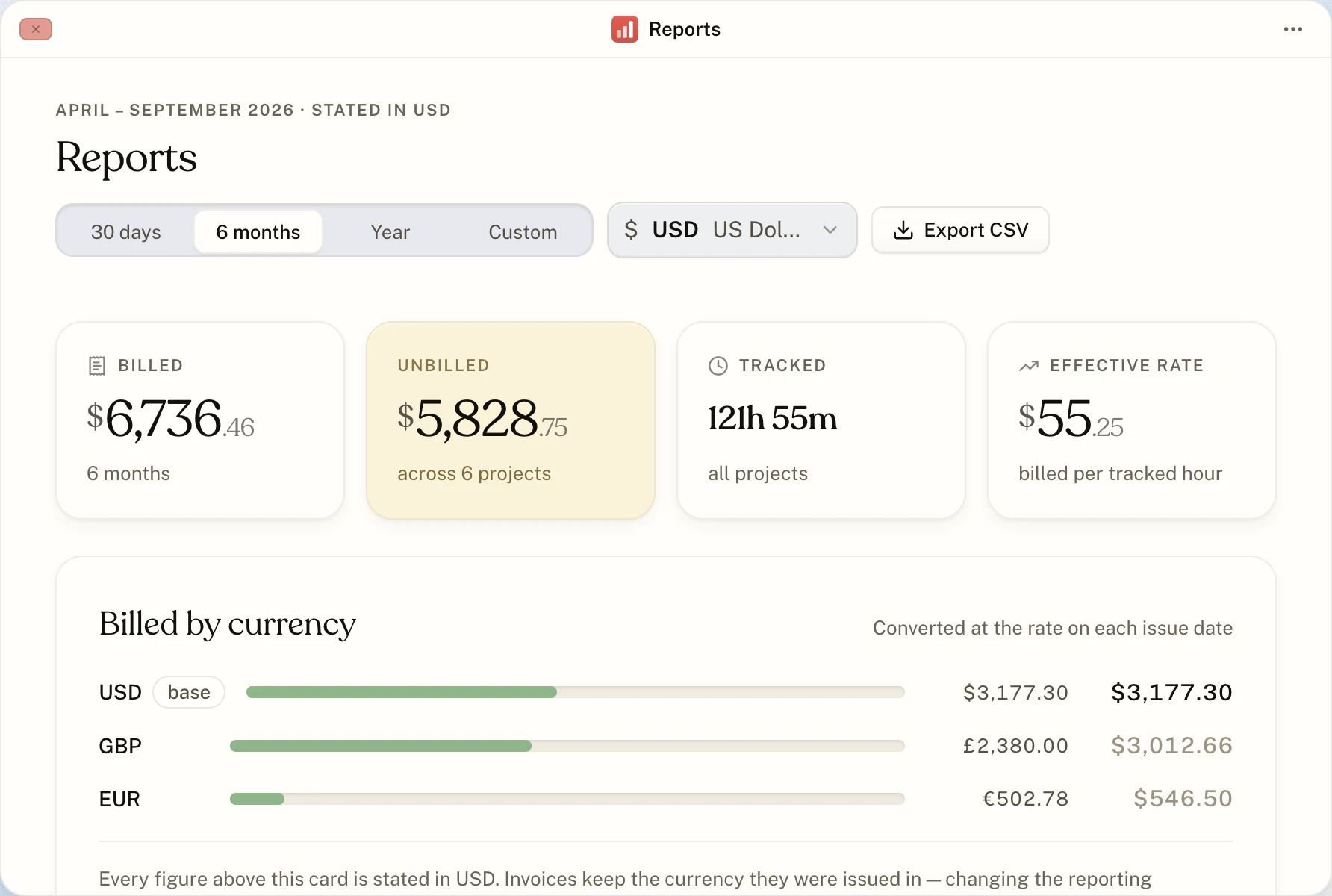
Reports puts the business on one screen: what you billed, what is still waiting to be billed, the hours behind it and what each hour earned you.
Any range
The last 30 days, six months, a year, or dates you pick.
Billed
What you invoiced in the range. Drafts are left out until they go out.
Unbilled
Work you have done and not invoiced yet, ready for its invoice.
Tracked
Every hour you tracked, across all projects.
Effective rate
What you billed for each hour you tracked: the real hourly rate behind fixed prices and non-billable time.
By project
A table of every project with its client, status, tracked time, billed and unbilled.
Billed, month by month
A chart shows billing month by month across the range. Unbilled hourly time is placed on the day it was tracked, so a busy month shows up as busy even before it is invoiced.
The overview, every morning
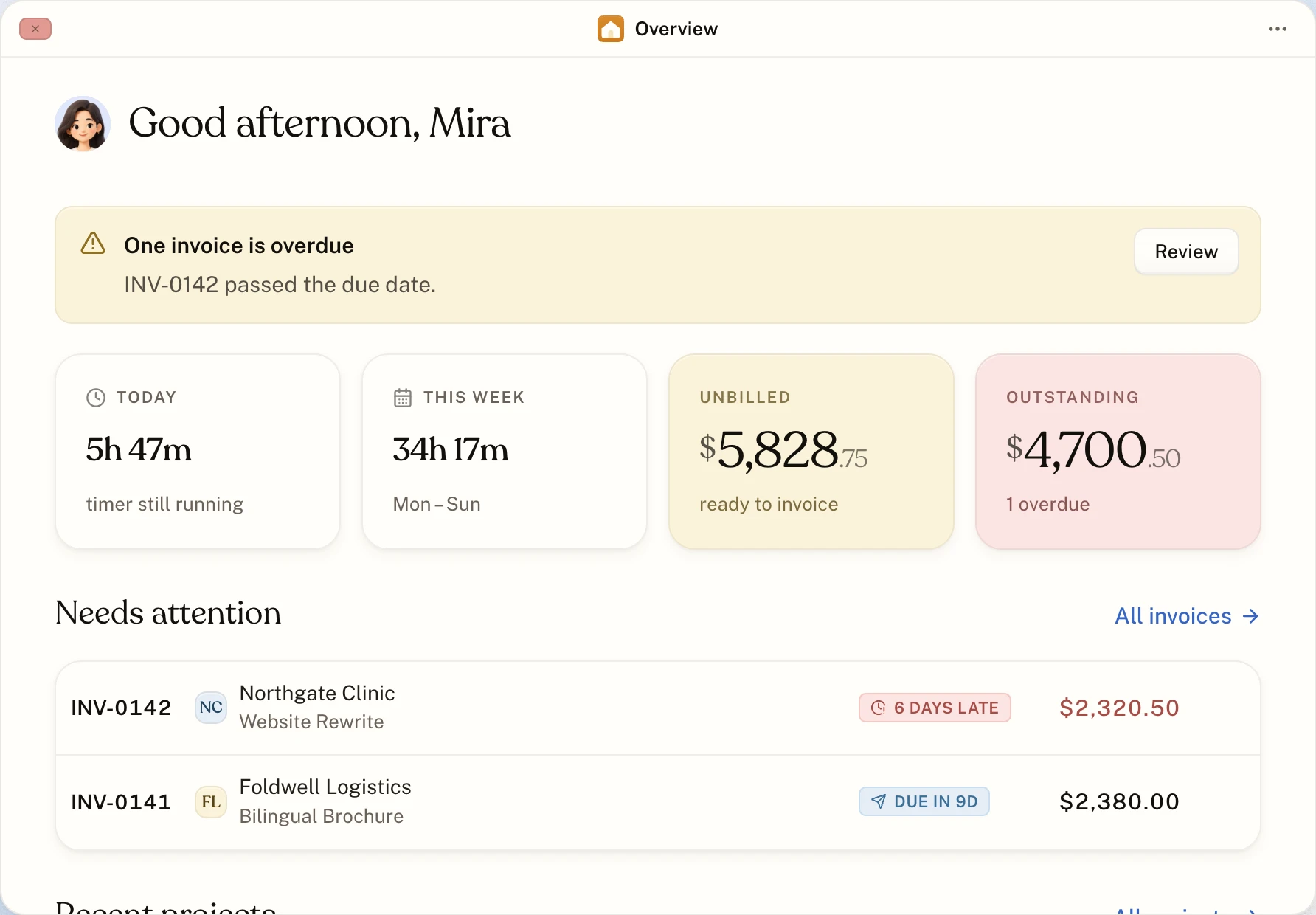
The Overview window answers the daily questions: time tracked today and this week, how much is ready to invoice, what is outstanding and which invoices need attention.
About reports
Can I get the numbers into a spreadsheet?
Yes. Settings, then Account, then Export downloads your time entries, invoices, projects and clients as CSV files.
Start with the timer. The invoice follows.
Make an account, start the clock, and send your first invoice when the work is done. No card, and nothing to upgrade to later.